A Home of knowledge

Showing posts with label Blogger. Show all posts

Monday, 2 May 2016

Add chat in your blog or website

It is an embedded code.You need to collect the code and paste it to your blog or web site.
Feature of the chat
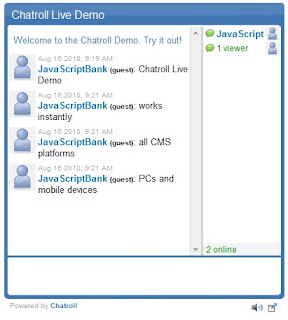
  1. It is an public chat.
  2. sender can delete his/her message
  3. Customize the default chat screen
  4. Screenshot
Step 1: To get the embedded code go to Chat Roll
Step 2: Sign up FREE account
Step 3: Now register 

Wednesday, 9 March 2016

Welcome message for website or blogspot

Visitor are most important for your website of blogspot site. Thou visitors are valuable so you need to hardest welcome to your web or blog site visitor. See the DEMO of Welcome Message

Follow the step to add Welcome message to a blogspot site

1. Login to your blogger account
2. Select the blog site you want to add Welcome message
3. Go to the Layout section
4. Click the add Gadget button
5. Click HTML/JavaScript

Wednesday, 20 March 2013

How to add Facebook Like & send button in Blogger.

You have lot's of friends on Facebook. So it's useful to share with facebook friend. The Like button lets a user share your content with friends on Facebook. Now i will share with you

How to add Facebook Like and Send button in blogger.

Follow the simple steps to add Facebook Like and Send button.

Step 1: Go to the Facebook Developers page.
Step 2: Modify the Like and send button setting on facebook developers page. What kind of facebook like button you want. Illustration blow

Wednesday, 2 May 2012

How to add adsense ad unit in blogger post content.

Now i will explain the best way to add adsense ad unite to your blog post contant.
First login to your adsense account and create a new ad unite for your blogger post content. You can't add the adsense code directly to your blogger template.
So you neet to Parse the adsense code.
Now Parse your adsense code using AdParse.
After parsing,your ad code Should look like this.
adsense parse,adsense in blogger template
Now add the Parse code following the steps.

Wednesday, 25 April 2012

How to change mouse icon in blogger.

Change your mouse icon when any visitor visit your blog. It's locking so gorgeous and easy to add this stylist mouse to your blog.
See the demo of Stylist mouse icon


Let's see how to enable this stylist mousr or change the  default mouse from your blogger.

step 1. Login to your blogger account.

step 2. Go to your dashboard > design > add a gadget > HTML/javascript.